Questions
What happens after the 30-day trial?
The app becomes read-only until it’s activated. Nothing is deleted: you can still open, search and export everything, run the year-end report and make backups. Activating with a license key unlocks adding and changing bills again.
Is it a subscription?
No. You pay once for each computer you use it on, and the license doesn’t expire. Try it free for 30 days first, and if it isn’t for you, you can have a full refund within 14 days of buying.
How do I pay?
In the app, click Activate, then Buy a license. Checkout opens in your web browser and is handled by Stripe — cards, Apple Pay and Google Pay. We never see your card number. Your license key arrives by email, usually within one business day. Rather pay another way? Email us.
Where is my information kept?
On your own computer. Bills and receipts are saved in a “Rental Bills” folder in your Documents, and the app’s records in your Windows user folder. Nothing is uploaded anywhere. Your backups go to the folder you choose — a OneDrive or Dropbox folder, if you want them off this computer.
Do I need to be online?
No. It reads bills, sends reminders and makes reports without internet. Your daily backup goes to whatever folder you choose — a OneDrive or Dropbox folder keeps a copy off the computer.
Does it work on a Mac?
Not yet — it runs on Windows 10 and Windows 11.
I’m getting a new computer. Do I have to buy again?
No. On the old computer, open Settings → License → Move to a new computer. It gives you a release code; email it with the new computer’s code and you’ll get a key for the new one, free. Make a backup first to bring your bills along. Old computer broken or lost? Just email us.
Windows says “Windows protected your PC” when I run the installer.
Windows shows that for new programs it hasn’t seen many times yet. Click More info, then Run anyway. Stuck? Email rentalbilltracker@gmail.com and we’ll walk you through it.
AVG or Avast says “Suspicious file detected” when I run the installer.
Some antivirus programs hold any new program they haven’t seen before and scan it first — usually a minute or two. Let the scan finish; when it says the file is OK, open it again and setup continues. You don’t need to turn your antivirus off. Still blocked? Email rentalbilltracker@gmail.com and we’ll help.
Will it do my taxes?
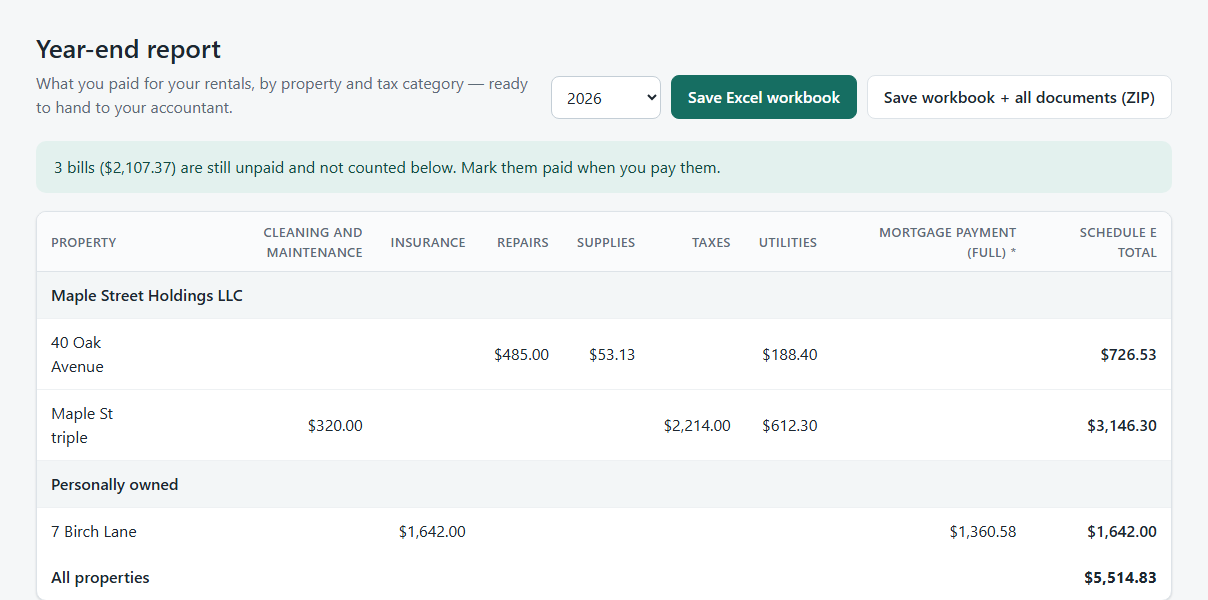
No — it keeps your expenses organized and totals them under the Schedule E lines so your accountant (or your tax software) has everything in one place. It isn’t tax advice.
Can it read every bill?
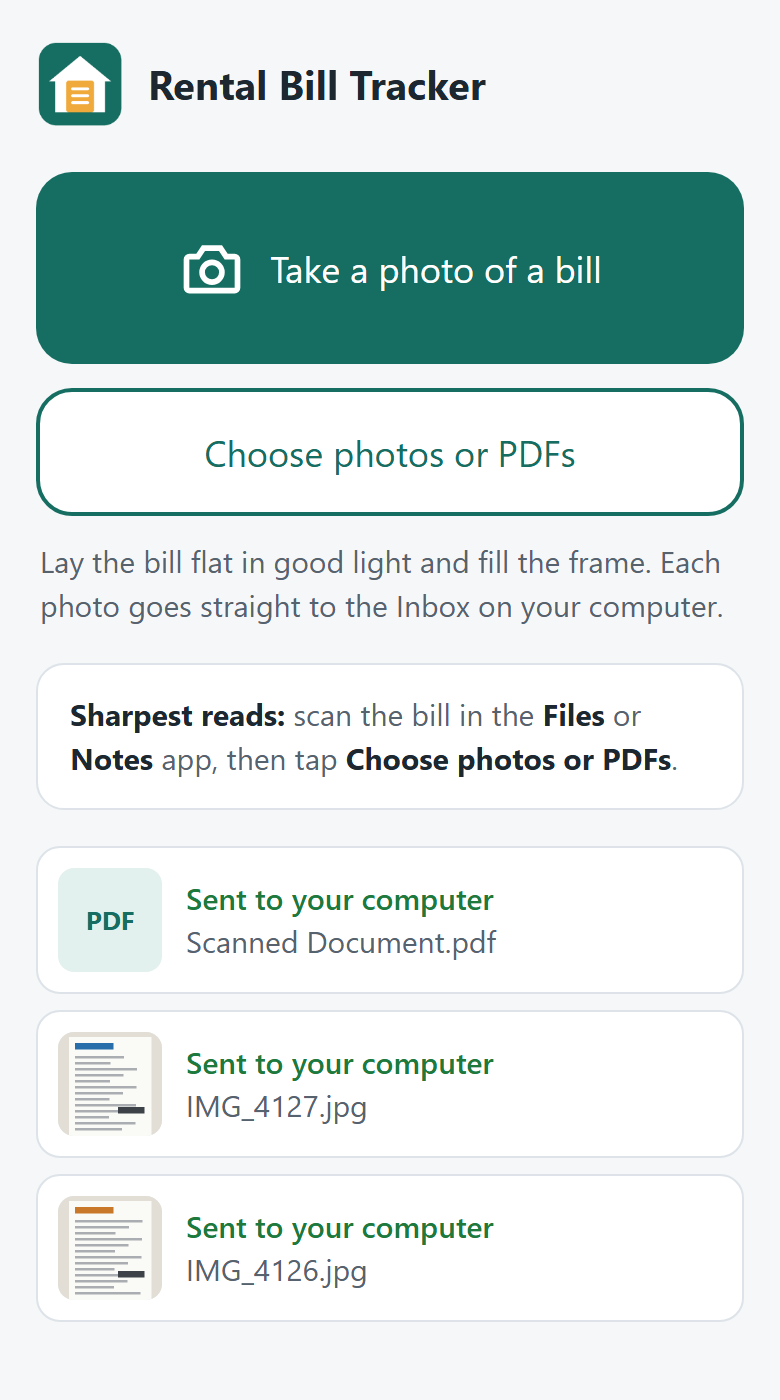
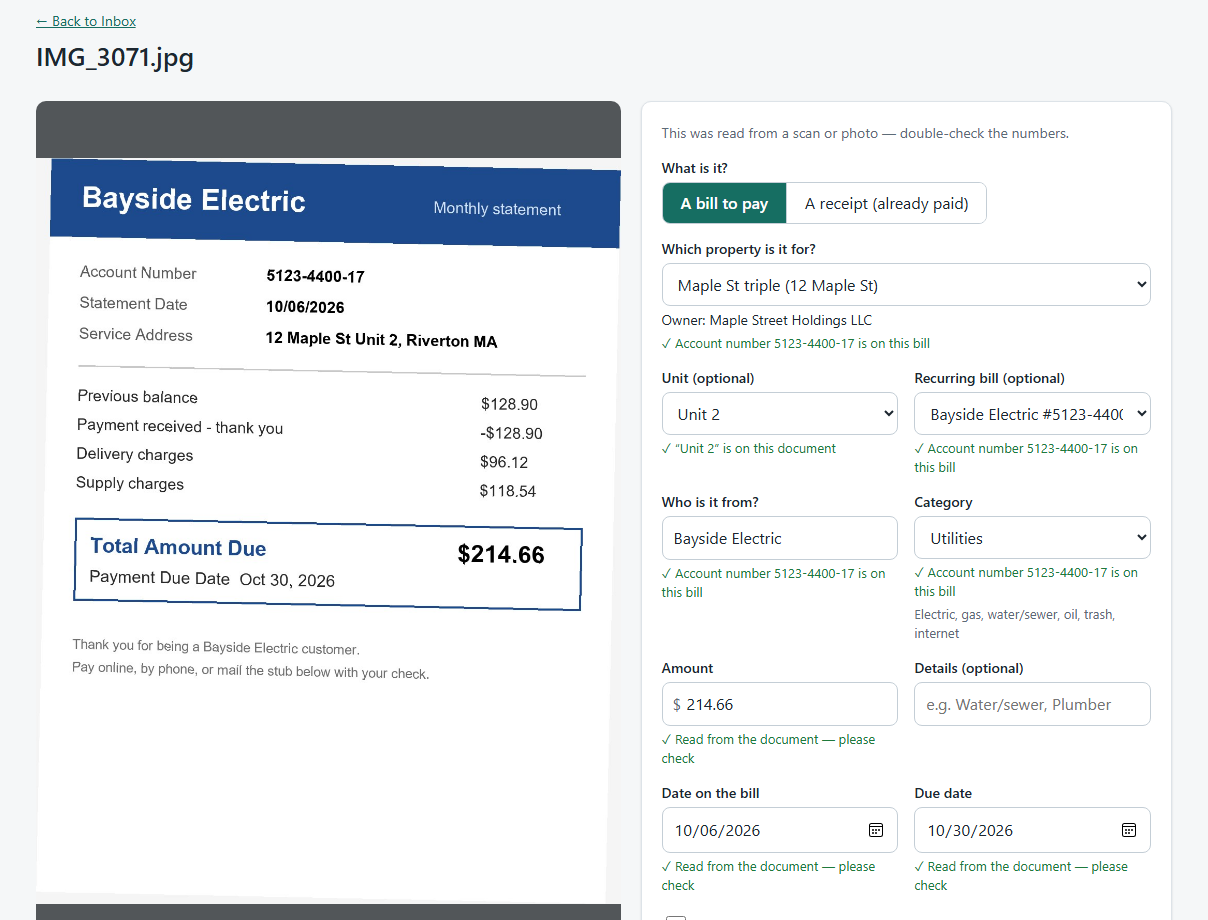
It reads PDFs from utilities, insurers and towns very well, and photos of paper bills and receipts using the text recognition built into Windows. Scanning with your phone’s document scanner (Files or Notes on iPhone, Google Drive on Android) gives the sharpest read. It always shows you what it read so you can correct anything before filing.
How do bills get from my phone to my computer?
Over your home Wi-Fi. In the app, open Settings → Send bills from your phone and scan the QR code with your phone’s camera — no app to download. Then take a photo, or pick a scan, and it seamlessly transfers to the Inbox on your computer. Your phone and computer need to be on the same Wi-Fi, with the app running (it can sit in the tray). Computer asleep or off? Your photos wait safely on the phone and send themselves once it’s back.
Do my bill photos go through the internet?
No. They go directly from your phone to your computer over your own Wi-Fi, through a private link only your phone has. They never pass through our servers or anyone else’s. If you’d rather use OneDrive, the app can watch a OneDrive folder that your phone saves to.
 Rental Bill Tracker